
Chop A Forest Beginner Guide: First Axe & Faster Runs
Start solo, turn trees into cash, buy the 150-cash axe, and reduce trips with carrying and transport upgrades.
Sources checked October 14, 2026 · Independent guide
Start your run
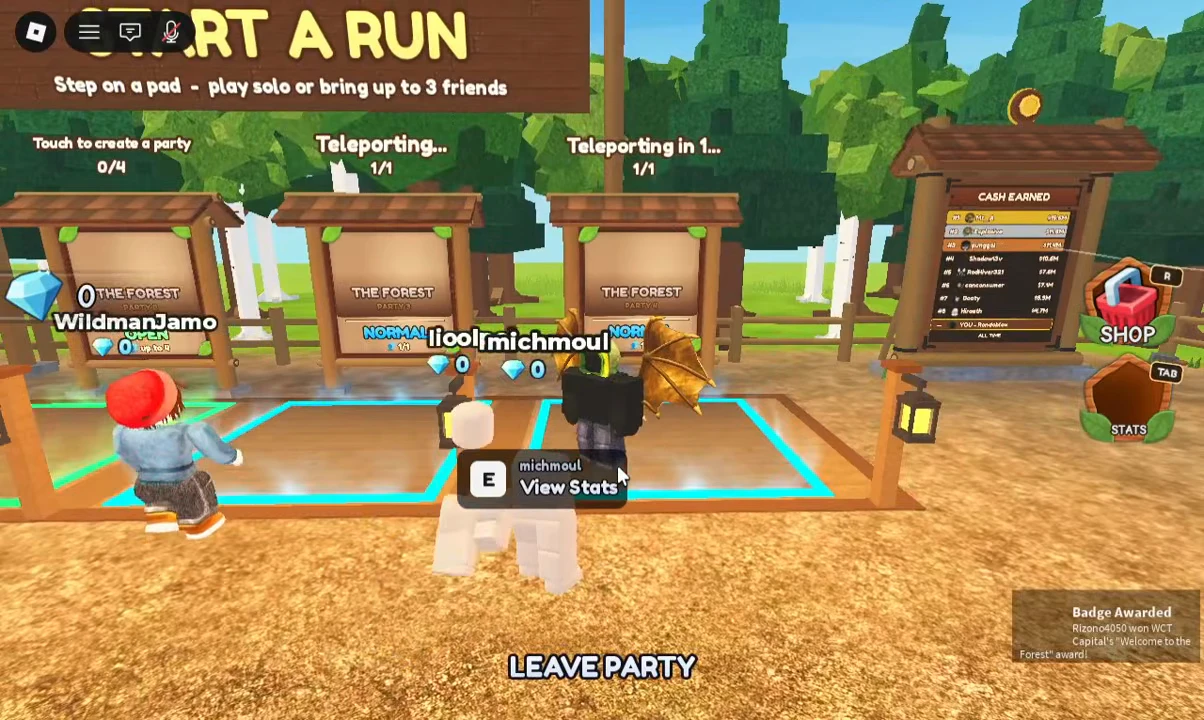
In the lobby, find START A RUN and step onto a party pad. Its sign allows solo play or up to three friends. VendoPlus’s footage selects a one-player party and shows a Teleporting countdown. Follow the pad and party controls for your chosen group size.
- Step onto a START A RUN pad.
- Choose a solo party or bring up to three friends.
- Wait for the Teleporting countdown; Leave Party is shown if you need to exit.
- Once the run loads, follow the tutorial’s first tree task.
Source: VendoPlus · beginner footage · VendoPlus · class menu · Roblox game & badge records
Make your first cash
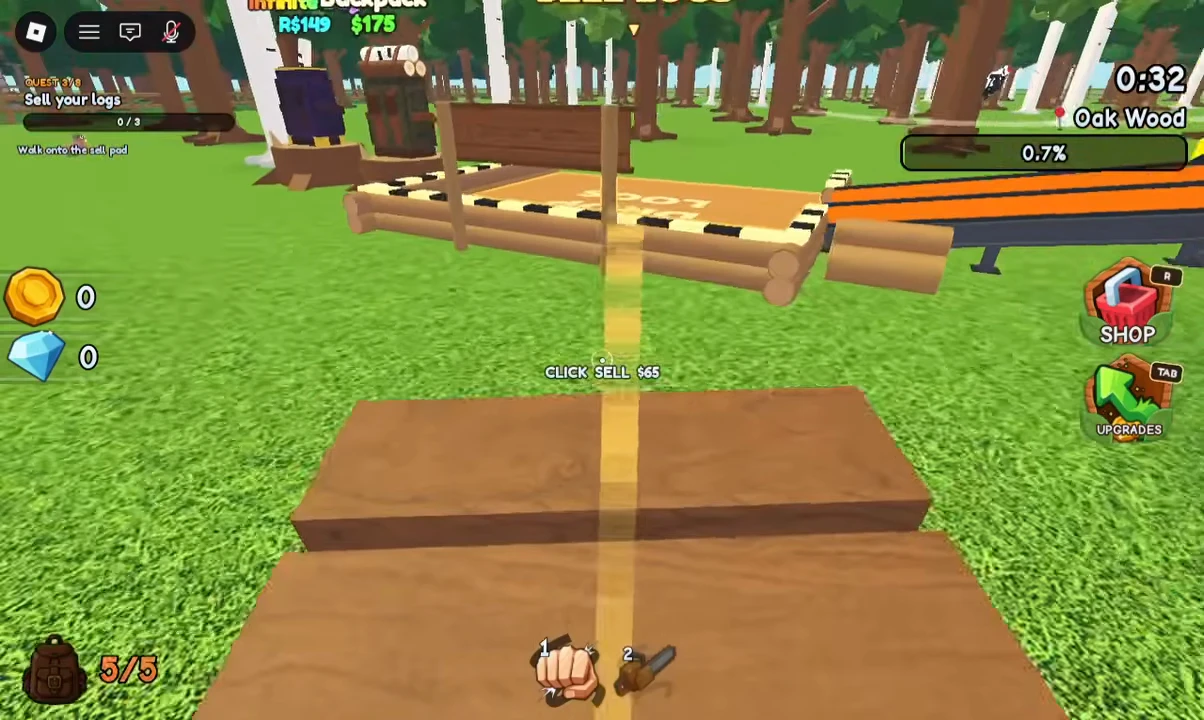
At 1:06, the footage shows a 5/5 bundle and CLICK SELL $65. That is a displayed bundle offer for that account and load, not a universal price-per-log formula. The tutorial then asks you to save 150 cash for the Axe.
- Click a tree to punch it with your starting hands; no initial axe is required.
- Collect the fallen logs.
- Walk onto the brown sell pad beside the orange wood chipper.
- Use the CLICK SELL control shown at the bottom of the screen. The amount shown is the value of your current load.
- Press Tab to open Upgrades when the tutorial reaches Buy an upgrade.
- Buy Hands Hold, then press and hold to keep punching.
Source: VendoPlus · beginner footage · VendoPlus · Axe & chainsaw · NoobBlox · progression route
Save 150 cash for the Axe
- Look for the wooden cabin labelled TOOL SHOP.
- Go inside and approach the Axe on the wall.
- Use the displayed View interaction; E is shown in the keyboard footage.
- Check the Axe’s 150-cash price and buy it when you have enough.
- Open Upgrades again. The Axe’s upgrades belong to the Axe you now own.
Source: VendoPlus · Axe & chainsaw · NoobBlox · progression route
A practical early upgrade route
NoobBlox’s October 14 guide recommends moving to the Axe after Hands Hold rather than spending heavily on hands you will soon replace. Then expand carrying capacity, add a few Axe upgrades and buy transport as the cleared area moves farther from the chipper. This is a creator’s route, not a proven fastest ordering for every player.
| Purchase / improvement | Why it helps | Reported example |
|---|---|---|
| Axe | Replaces slow hand punching | 150 cash; also visible on the Tool Shop wall |
| Backpack | Carry more logs per trip | 175 cash displayed on the first backpack sign; read its current capacity card before purchase |
| Axe Sharpness / Speed / Hold | Fewer or faster swings; less repeated clicking | Guide uses three Sharpness upgrades, two Speed upgrades and Hold during its run |
| Rusty Truck | Haul logs from farther trees | 500 cash and capacity 50 reported by NoobBlox |
| Vacuum | Collect loose logs into the backpack faster | Buy it before expecting its upgrade tab to unlock |
| Walk Speed | Reduce walking time | Read the current level price; reported 1,000 cash is a later level, not the starting price |
Source: NoobBlox · progression route · VendoPlus · Axe & chainsaw · VendoPlus · beginner footage
Cut in batches, then collect
Once you can carry or transport more wood, cut several nearby trees while the earlier trees fall. Collect the batch with the Vacuum, load your vehicle and return to sell. NoobBlox demonstrates this approach instead of walking back after each tree. Leave the chipper selling while you return to cutting; buy Chipper Speed if the selling queue is the part holding your run back.
Source: NoobBlox · progression route
Clearing Oakwood and moving onward
In NoobBlox’s run, clearing Oakwood opens the Birch area and another chipper provides a nearer selling point. The creator’s narration gives inconsistent total zone counts, so this guide does not claim a complete map or all unlock requirements.
Source: NoobBlox · progression route
Know whether your next purchase helped
- After a tool purchase, check that its card says owned and its Upgrades tab is available.
- After a capacity purchase, read your backpack / vehicle capacity in the current HUD.
- After depositing logs, check the selling area and your cash total.
- If you still spend most time travelling, work on carrying or transport; if each tree takes too long, work on the tool; if the chipper queue is the bottleneck, inspect Chipper Speed.
Source: VendoPlus · Axe & chainsaw · NoobBlox · progression route
Controls shown in the footage
These keys come from desktop gameplay footage. Use the on-screen interaction labels on mobile or controller; exact touch and controller mappings were not inspected.
| Action | Keyboard footage |
|---|---|
| Open run Upgrades | Tab |
| Open Shop | R |
| Inspect an Axe / tool display | E — View prompt |
| Continuous punching after Hands Hold | Press and hold |
Source: VendoPlus · Axe & chainsaw